
Download CycliqPlus

Play, edit and manage footage from your Cycliq Fly camera/light device all from an incredibly smooth app experience.

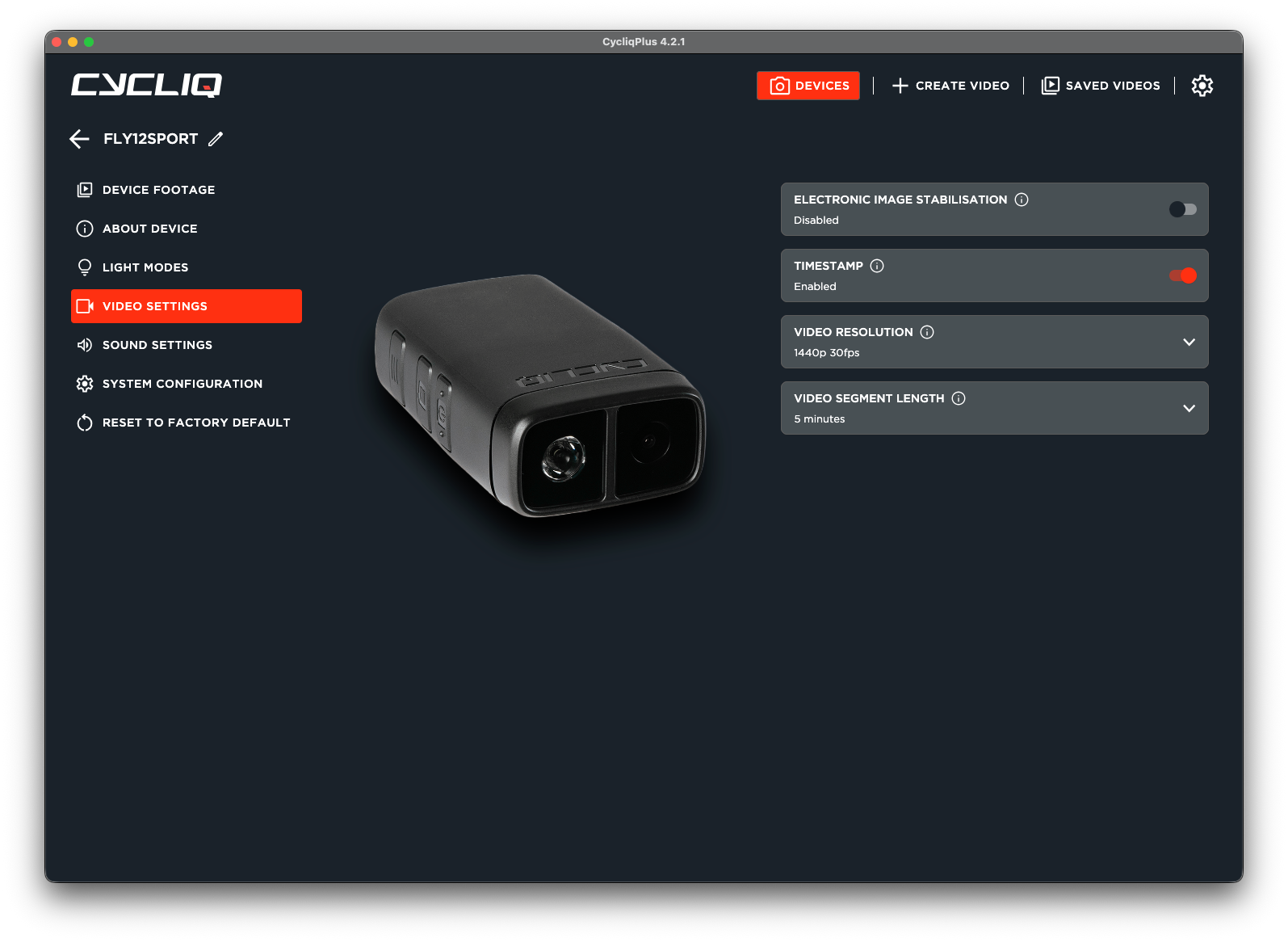
Setup your Fly devices

Your Fly6 and Fly12 is built to do its thing in the background. CycliqPlus is where you tweak the video, lights and sound settings, push firmware updates, and play back your clips.

Learn more about devices in CycliqPlus
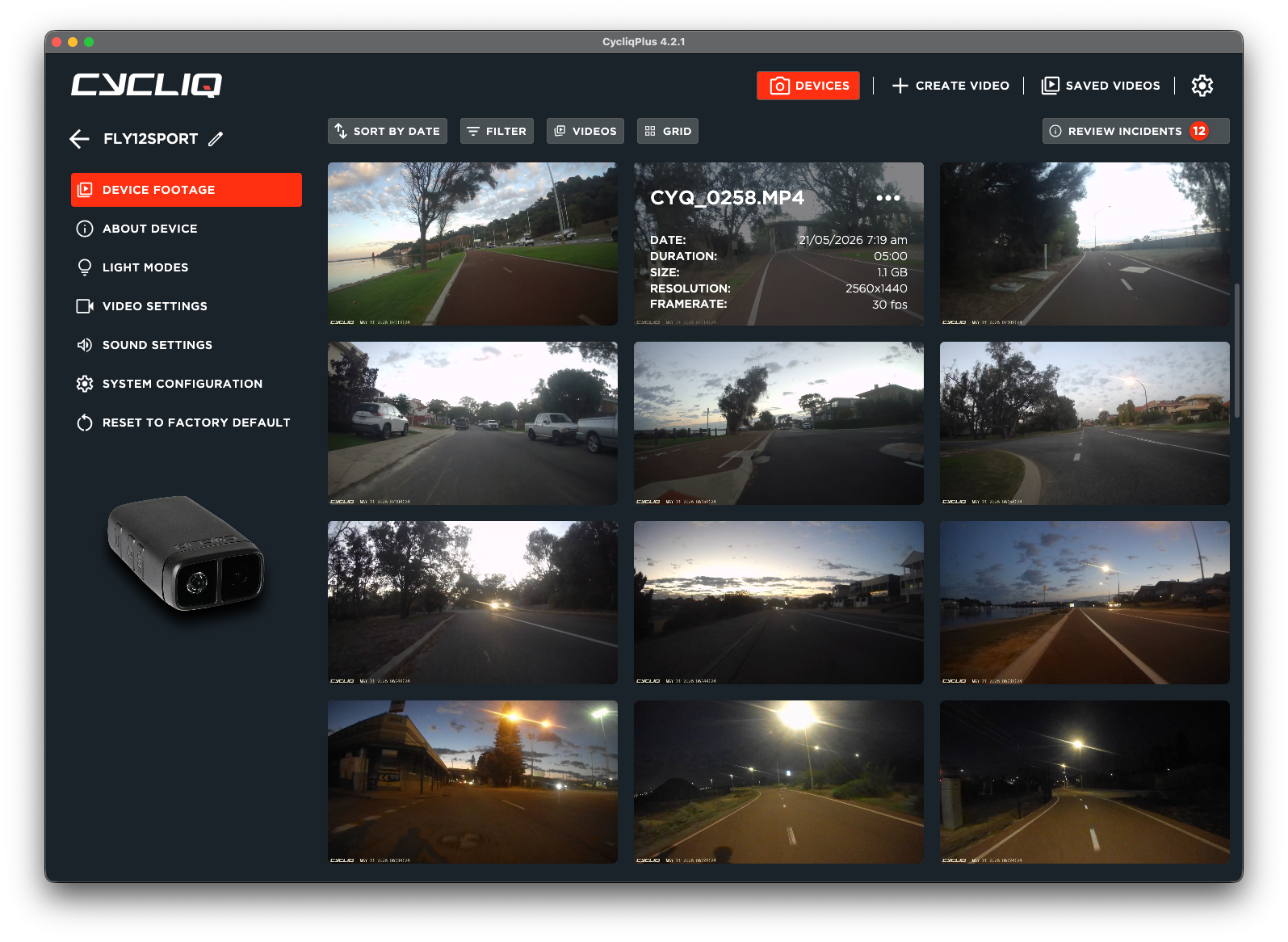
View your videos

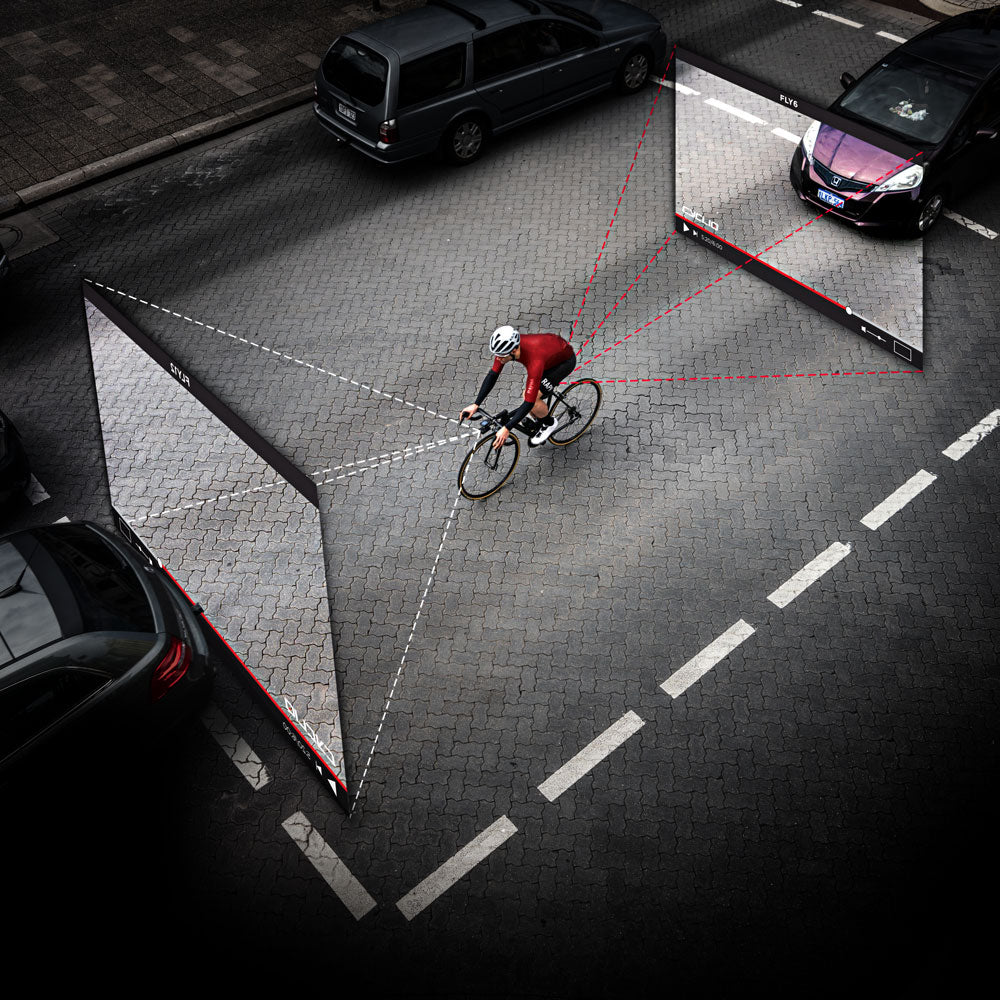
The purpose of our products is to ensure we've got an eye out for you on the road. CycliqPlus is perfect companion to the Fly12 and Fly6, being the place to play back every second, giving you the peace of mind that you've got every moment on camera.

Learn more about videos in CycliqPlus
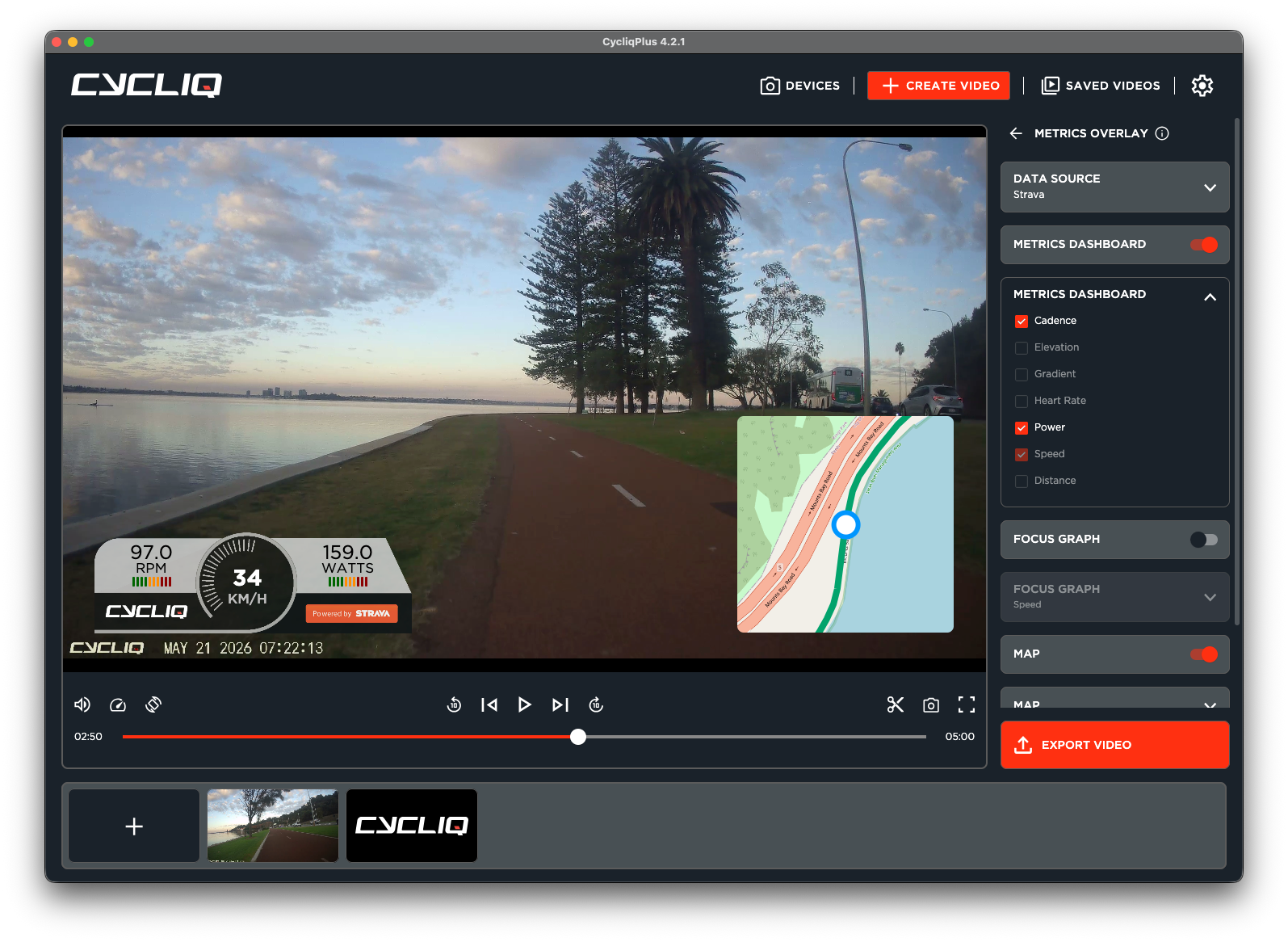
Edit and share

Our video editor has evolved with our customers and devices over the years, and it's built to ensure the moment you've captured is ready to share with anyone, however you want. Edit that clip, and share it straight to YouTube or UpRide in one extra click.

Learn more about editing in CycliqPlus

Looking for help?

No matter what you are trying to do in CycliqPlus, we've got your back. Our support centre is full of documentation to help you work out how to do what you need to do.

CycliqPlus Desktop Support Centre

Changelogs

Version 4.3.1

Released on May 27th 2026

  • Hotfix for Intel MacOS users to restore video exports

Version 4.3.0

Released on May 26th 2026

  • All New Strava Calendar footage view
  • All New Incident Review flow (requires latest Fly6 Pro and Fly12 Sport firmware)
  • Added a delete button to the video player for easier footage review
  • Trimmed export output is more reliable across joined clips
  • Fixed deleting locked files on macOS
  • Fixed macOS startup freezes
  • Fixed Windows startup crashes

Version 4.2.1

Released on April 23rd 2026

  • Fixed crash when cancelling Advanced Sync with a linked Strava activity
  • Improved Advanced Sync stability and time display

Version 4.2.0

Released on April 21st 2026

  • Faster app launch with a new loading screen
  • Smoother video playback on older hardware
  • Faster, more reliable video exporting with automatic CPU fallback if GPU processing fails
  • Clearer export progress and step feedback
  • Fixed fullscreen video playback issues on macOS and Windows
  • Automatic recovery from corrupted app data

Version 4.1.1

Released on March 20th 2026

  • Fixed video overlays not displaying at the correct time during export
  • Fixed firmware update notifications not appearing for connected devices

Version 4.1.0

Released on March 13th 2026

  • Footage screen now supports Grid, Thumbnail and List view modes
  • Multi-clip trimming in the Video Editor
  • Clip timeline with active clip highlighting and cursor tooltip
  • Trim bar can now be dragged as a whole
  • Significantly faster video export when trimming without re-encoding
  • Improved video loading performance with smarter USB bandwidth management
  • Fixed video export issues when working with multiple clips
  • Fixed video overlays not aligning correctly in the editor
  • Fixed videos disappearing from editor when navigating between screens
  • Fixed crash when trimming videos shorter than 10 seconds
  • Fixed player progress bar not updating during scrubbing while paused
  • Fixed various VLC player stability issues
  • Improved crash reporting and error logging

Version 4.0.14

Released on June 26th 2025

  • Add UpRide to sharing menu
  • Persistent Export button in Video Editor
  • Fix issues with Windows Update process (will take effect from next version onwards)
  • Fix for issue whilst exporting (structuralUpdate requires non-null tail)
  • Fix for some Intel Mac users failing to see videos in Device Footage

Version 4.0.10

Released on May 28th 2025

  • Optimised memory usage during video playback
  • Improved error logging during exports
  • Added persistent Window size and position across sessions
  • Added a rotate button to video playback and editing
  • Fixed Overlay Preview after trimming
  • Fixed detection of locked files on Fly12 CE
  • Fixed Advanced Sync layout issuesCE
  • Fixed Activity Overlay > Metrics Dashboard layout issues when unavailable metrics selected
  • Fixed exported tramline scaling

Version 4.0.6

Released on May 8th 2025

  • Persistent Export button in Video Editor
  • Fix issues with Windows Update process (will take effect from next version onwards)
  • Fix for issue whilst exporting (structuralUpdate requires non-null tail)
  • Fix for some Intel Mac users failing to see videos in Device Footage

Version 4.0.5

Released on April 22nd 2025

  • Optimised memory usage during video playback
  • Improved error logging during exports
  • Added persistent Window size and position across sessions
  • Added a rotate button to video playback and editing
  • Fixed Overlay Preview after trimming
  • Fixed detection of locked files on Fly12 CE
  • Fixed Advanced Sync layout issuesCE
  • Fixed Activity Overlay > Metrics Dashboard layout issues when unavailable metrics selected
  • Fixed exported tramline scaling

Version 4.0.3

Released on April 9th 2025

  • Added distance to activity dashboard options
  • Fixed a video playback issue affecting some Windows users
  • Fixed a device detection issue affecting some Fly6 CE users
  • Fixed an issue where the Auto-Updater wouldn't prompt some users to update
  • Fixed an issue where Windows Auto-Update triggered CycliqPlus to launch twice (to take effect from 4.0.3 onwards)

Version 4.0.1

Released on April 4th 2025

  • Fixed issue with date and time formatting in video lists
  • Fixed some Strava activity detection issues and datetime display issues

Version 4.0.0

Released on March 31st 2025

  • Made Advanced Sync view larger
  • Advanced Sync flow will now pull in the current time from the video in the editor
  • Add links to tooltips in Video Editor
  • Samsung Health .gpx files now readable
  • Fixed Focus Graph misalignment after syncing activity to video
  • Fixed issue with Video Player slider not linking to player
  • Fixed flow from Video Player to Video Editor

Get the CycliqPlus mobile app

Access and manage your footage at a touch.

Download on the App Store
Get it on Google Play